How to Automate Your Business's Administrative Tasks
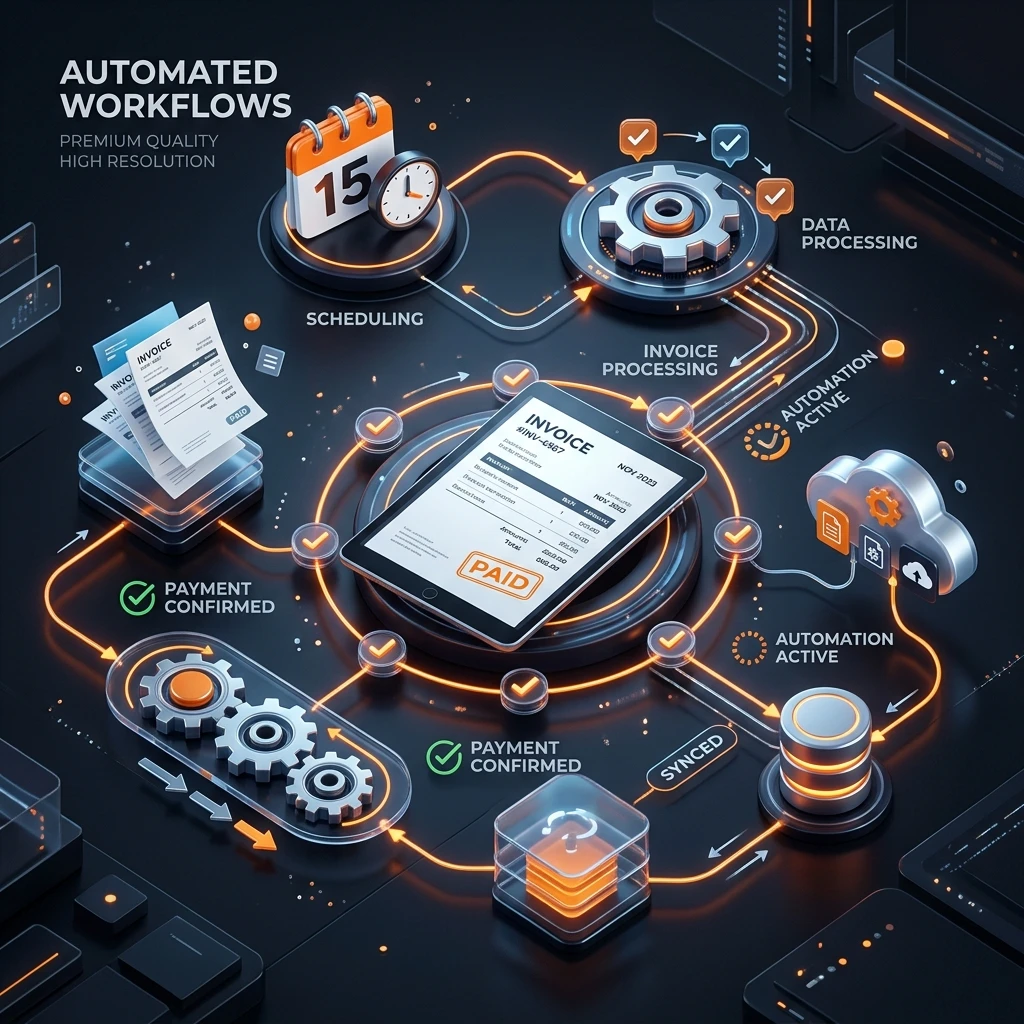
The bottom line: A small business owner spends an average of 8 to 12 hours per week on repetitive administrative tasks — follow-ups, quotes, invoices, data entry, appointments. Most of these tasks can be automated in a few days with no-code tools, for under €100 per month.
What you’ll learn:
- How to identify the 6 most profitable administrative tasks to automate in your business
- How to automate your quotes, invoices, and follow-ups without writing a line of code
- How to set up automatic appointment reminders and customer follow-ups
- How to choose the right tool (n8n, Make, Zapier) based on your budget and needs
- How to avoid the 5 mistakes that cause 80 % of first automations to fail
Before you continue: This article is for you if you run a small or medium business with 1 to 20 people, you spend too much time on admin, and you’ve NEVER done any automation. If you already have a well-configured CRM and active workflows, you might find the basics too simple. This isn’t a technical article — it’s about what you can automate, not how to code every step.
Published July 4, 2026
When I talk with the small business owners I work with, there’s one phrase I hear all the time: “I don’t have time to run my business — I spend my life on paperwork.”
I get it. I used to be the same way. Truck driver for 10 years, spending my evenings doing accounting, chasing clients, sorting papers. Paperwork was eating my free time — and nobody tells you that starting a business is 40 % exciting work and 60 % boring admin.
The problem: You’re losing 8 to 12 hours a week on tasks a computer can do by itself. Tasks that don’t earn a single euro, don’t retain a single client, don’t grow your business one bit.
The solution: No-code automation. With tools like n8n, Make, or Zapier, you can build “bots” that do these tasks for you — send an invoice when you accept a quote, follow up on an unpaid client after 7 days, confirm an appointment by SMS without thinking about it.
The proof: A marketing manager automated 90 % of supplier invoice data entry in a weekend: AI extraction from PDFs, feeding into QuickBooks, Slack alerts for unusual amounts. His team went from half a day of data entry per day to 20 minutes of verification per week (source: r/n8n, post “accidentally-killed-90-of-a-finance-teams-manual-work”, 2026). A florist generated $18,000 in repeat orders in 3 months with a simple email follow-up automation built in 1 hour (source: r/automation, post “email-automation-florist”, 2026).
I’ll show you where to start, in what order, and with which tools — with real, concrete numbers.
What Can Actually Be Automated in a Small Business?
The first question I get: “But concretely, what can I automate?”
Short answer: everything that’s repetitive, time-consuming, error-prone, and scalable.
A simple framework I use with my clients — I call it the 4 Pillars Rule — says a task is a candidate for automation if it checks at least 2 of these 4 boxes:
- Repetitive: you do it more than 3 times a week
- Time-consuming: it takes you more than 30 minutes each time
- Error-prone: you’ve already made a data entry mistake or forgotten a follow-up
- Scalable: the more clients you have, the more time this task takes
The 6 most profitable tasks to automate in a small business:
| # | Task | Time saved/week | Difficulty | ROI |
|---|---|---|---|---|
| 1 | Client follow-ups and unpaid invoice tracking | 2–3 h | ★☆☆ | Immediate (cash flow) |
| 2 | Recurring quotes and invoices | 1–2 h | ★☆☆ | High |
| 3 | Accounting data entry (supplier invoices) | 2–4 h | ★★☆ | Very high |
| 4 | Appointment confirmation and reminders | 1–2 h | ★☆☆ | Immediate (fewer no-shows) |
| 5 | Email sorting and filing | 1 h | ★☆☆ | Low (but frees your mind) |
| 6 | Monthly reporting (numbers, clients, revenue) | 1–3 h | ★★☆ | Medium (better visibility) |
What I’ve learned in the field: don’t start with the most complex task. Start with the most annoying one. The one you put off every week. An automation that removes a single daily micro-decision (follow up on a client, sort emails) pays off more psychologically than a “big project” that takes a month to set up.
“I automated my unpaid client follow-ups in an afternoon with n8n. It freed up 3 hours a week and — most importantly — I never forget an invoice anymore. I thought it would be complicated, but it was 45 minutes on the clock.” — Feedback from a woodworking craftsman, Oplia client
The 3 Automations That Pay Off the Fastest
If you could only do three, here are the three that really move the needle. In order.
1. Automate Client Follow-Ups and Unpaid Invoices
This is the first one I recommend to all my clients. Why? Because it has a direct impact on your cash flow, and it’s ridiculously simple to set up.
The problem: You send a quote, the client says yes, then… nothing. You have to follow up. And follow up again. And you can’t afford to forget — an invoice left unpaid for 30 days is money that’s not working for you.
What the automation does:
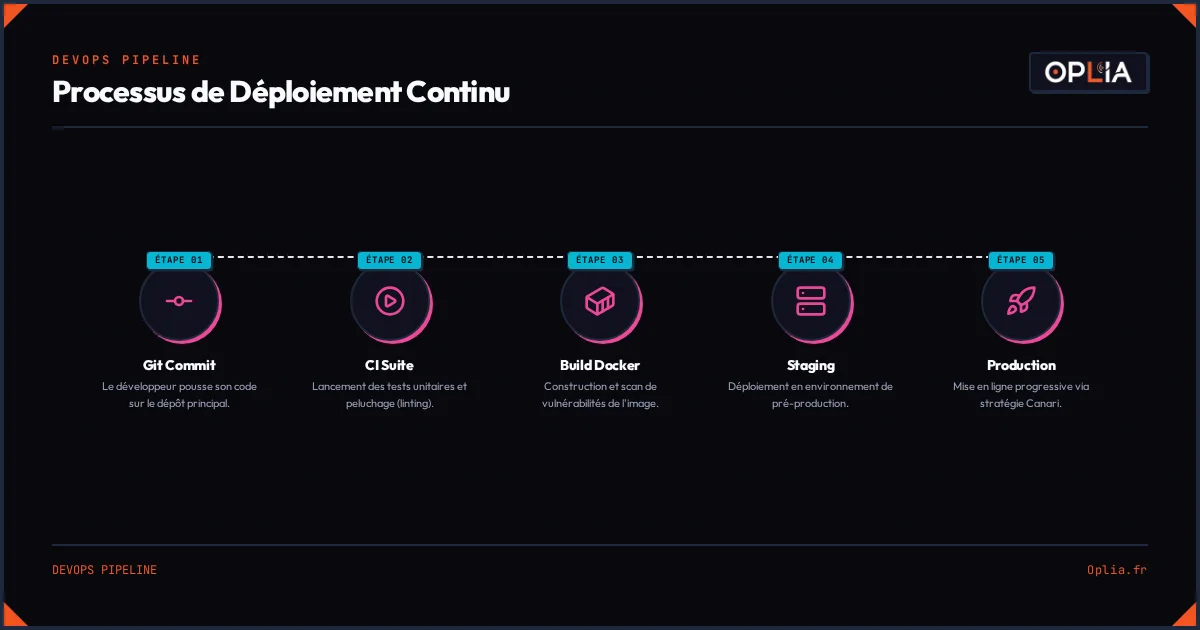
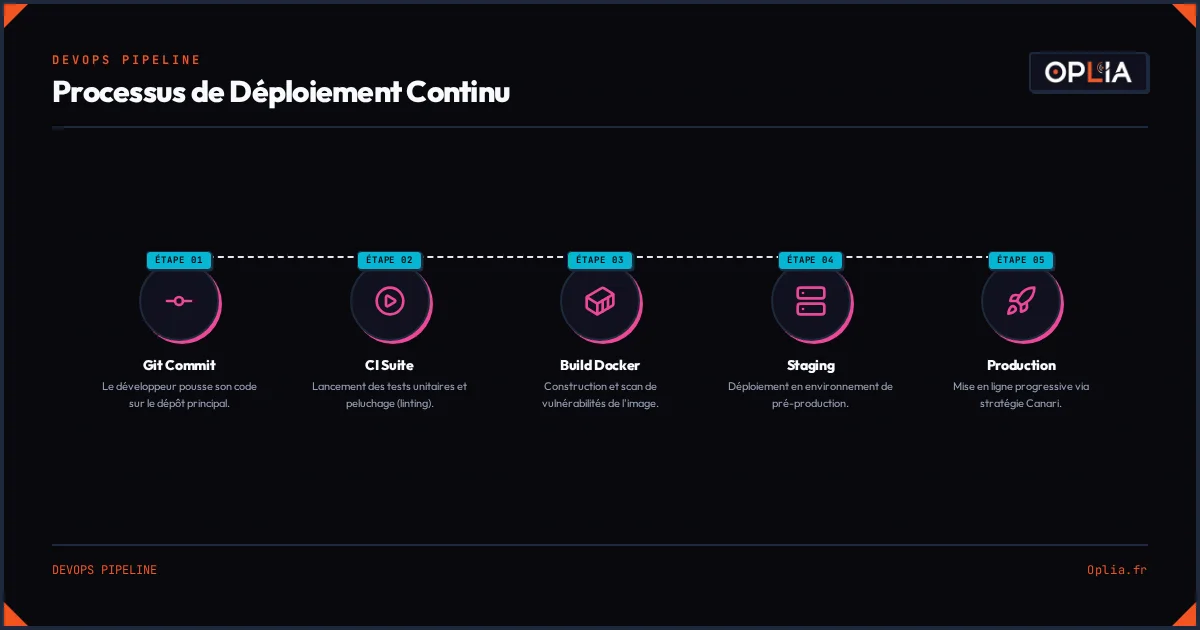
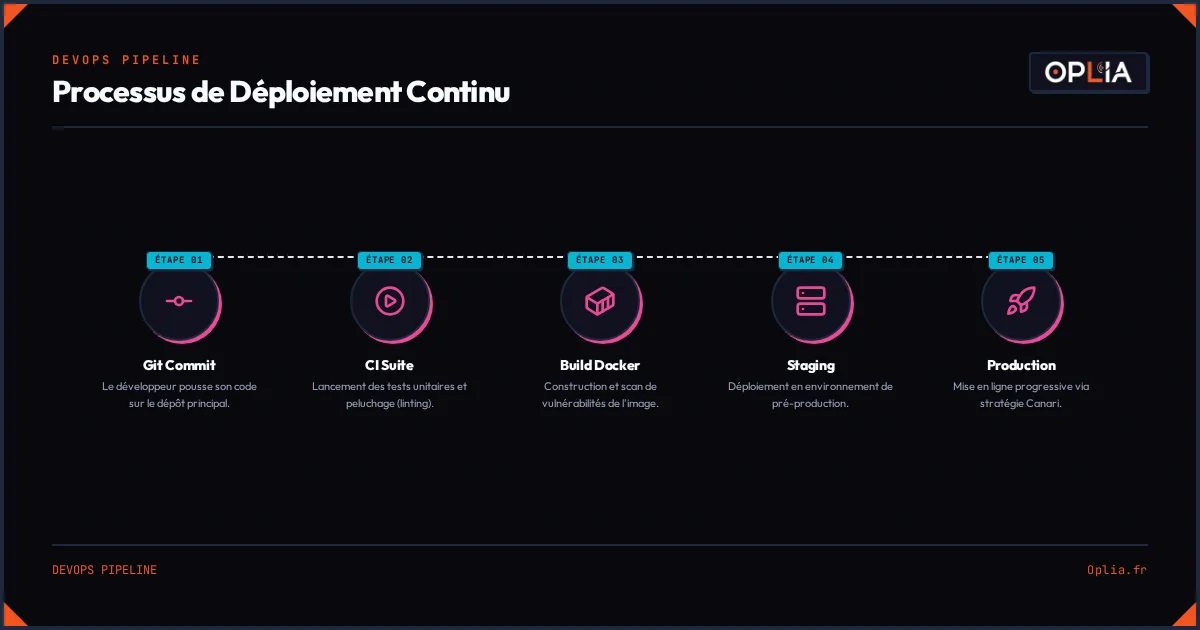
- When you mark a quote as “Accepted” in your tool, an email goes out automatically with the invoice
- 7 days after the invoice is sent, if no payment, a first reminder goes out
- 14 days later, a firmer second reminder goes out
- 30 days later, a notification alerts you for manual action
How to set it up without coding: You need two things: an invoicing tool (Freebe, Zerviz, or even Google Sheets) and an automation platform like n8n. The workflow fits in 6 nodes:
- Trigger: a new row in your “Invoices” table
- Filter: if status = “Unpaid”
- Wait: 7 days
- Condition: check if still unpaid
- Action: send a follow-up email
- Action: mark “Follow-up D+7” in the table
Tip: Use a dedicated subdomain (e.g. reminders.yoursite.com) for your automated emails. This protects your main domain from spam risks — email providers are getting stricter, and a bad warm-up can blacklist your business address (source: wiki/business-automation, consensus P5).
2. Automate Appointment Confirmation and Reminders
I’ve seen this one work for a dentist who cut his no-shows in half (source: r/n8n, post “dental-clinic-cut-no-shows-texting”, 2025). The principle is simple: when a client books an appointment, they automatically receive:
- An immediate confirmation SMS/email
- A reminder 48 hours before
- A reminder 24 hours before with practical info
- A thank-you message after the appointment (asking for a Google review)
Result: fewer gaps in your schedule, more satisfied clients, and Google reviews that come in naturally.
The same pattern works for local businesses. A car wash doubled its regular customers with a simple SMS reminder system: “Your car was washed 3 weeks ago, want to come back?” (source: r/automation, post “car-wash-reminder-system”, 2025).
3. Automate Email Sorting and Document Management
I know, it sounds dreamy. And yet it’s the simplest automation I never thought of before trying it.
How it works:
- An email arrives with the word “Invoice” in the subject → it gets tagged, filed in a “Supplier Invoices” folder, and a copy is saved to Google Drive
- An email with “Quote” in the subject → tagged “Prospect”, added to your sales tracking
- An email from an existing client → tagged “Client”, archived in the client’s folder
An auto-labeling system with 5 to 8 labels max is enough to clean up 80 % of your inbox (source: wiki/business-automation → “daily micro-automations”).
Which Tools to Use for No-Code Automation in 2026?
This is the question I get most: “Which tool should I choose?”
Here’s what I tell my clients after analyzing the market and testing the platforms:
| Tool | Price | Ease of use | Best for | Limitation |
|---|---|---|---|---|
| n8n (self-hosted) | ~€5–7/month (VPS) | ★★☆ | Complex workflows, built-in AI | Learning curve |
| n8n (cloud) | From €20/month | ★★☆ | SMBs that don’t want to manage a server | Price at scale |
| Make | From $9/10k ops | ★★★ | Beginners, simple flows | Limited AI capabilities |
| Zapier | From €20/month | ★★★ | Immediate setup | Very expensive at scale |
My advice: If you’re ready to spend a weekend learning, go with self-hosted n8n. It’s the best value for money, and SAP just invested $5.2 billion in it (source: SAP invests in n8n, 2026) — proof the platform is here to stay. If you want something that works in 30 minutes with zero learning, pick Make. If your existing stack already uses Zapier, stick with Zapier — but expect to pay more.
What I’ve learned in the field: The best tool is the one you’ll actually use. I’ve seen clients buy an n8n cloud subscription, never touch it, and stick with their manual processes. Start with Make or Zapier for your first automation. Migrate to n8n when you need more power.
How Much Does Small Business Automation Really Cost?
I’ll be honest with you: the numbers you see online are often inflated by agencies trying to sell you €500/month packages.
The reality on the ground:
| Type of automation | Setup | Monthly maintenance |
|---|---|---|
| Simple client follow-up (email) | €200–400 | €0 (once running) |
| Quote → invoice → follow-up workflow | €400–800 | €0–50 |
| Automated accounting data entry (AI) | €600–1,200 | €50–100 |
| SMS appointment reminders | €300–500 | €20–50 (SMS credits) |
| Automated monthly reporting | €400–800 | €30–80 |
| Full package (all of the above) | €1,500–2,500 | €100–300/month |
These are the prices I charge at Oplia for the small businesses I work with. A traditional agency would charge 2 to 3 times more. Why can I be cheaper? Because AI lets me build and test a workflow in 2–3 hours instead of 2–3 days.
The DIY alternative: If you want to do it yourself, budget for:
- Self-hosted n8n: ~€7/month (DigitalOcean droplet or equivalent)
- Domain for emails: ~€10/year
- SMS credits: €0.04–0.08 per SMS (SMSFactor or Twilio)
- Your time: 1 weekend for the basics, 2–3 evenings per automation
A 21-year-old automation hobbyist built a $1,200/month business automating tasks for small local shops — using only n8n and Make, no AI, no complicated stack (source: Reddit, r/n8n, “im-21-and-make-1200month-helping-small-businesses-automate-boring-stuff”, 2026). The demand is there, the prices are accessible.
The 5 Mistakes That Cause First Automations to Fail
I won’t lie to you: the first time I tried to automate something, it failed. The workflow ran for 3 days before I noticed it wasn’t doing anything — no emails had been sent.
These 5 mistakes, I’ve seen them in dozens of people. Avoid them, and you’ll go from the “those who give up” category to “those who make it work.”
Mistake #1: Trying to Automate Everything at Once
This is the most common mistake. You think “I’ll automate my whole accounting system” and 3 weeks later, you have 15 half-working workflows and you give up on everything.
The right approach: One automation at a time. Start with the simplest one (email follow-ups). Run it for 2 weeks. Then move on to the next.
Mistake #2: Not Handling Errors
A workflow that fails silently is worse than no workflow at all. If your invoice reminder doesn’t go out, you’re losing money without knowing it.
The right approach: Add an “Error Trigger” node to every workflow (source: wiki/business-automation → n8n lessons production). Set up a Slack or email notification when the workflow fails. Test with a real case (not 15 dummy records).
Mistake #3: Automating an Unstable Process
If you change how you do quotes every month, don’t automate it. Automation freezes a process — if the process moves, the automation breaks.
The right approach: Stabilize first. Do the same thing 10 times the same way. Then automate.
Mistake #4: Ignoring Maintenance
An automation is not “build and forget.” APIs change, tokens expire, webhooks disconnect. One of my clients had their invoicing workflow down for 3 weeks — nobody noticed.
The right approach: Schedule 30 minutes per month to check everything is running. The simplest workflows require the least maintenance. Less AI in your workflow = fewer breakdowns.
Mistake #5: Underestimating Data Quality
The number one trap: your data is probably in much worse shape than you think. Dates stored in 3 different formats, client names with typos, duplicates everywhere.
The right approach: Clean your data before automating. One date format, one name format, no duplicates. As Dinesh Agarwal, founder of the “My n8n Bible” community who has built over 100 workflows for his clients, says: “Clean data first, automation second. Thirty percent silent loss without data quality is the number one trap.”
How to Choose Your First Automation
If you’re still unsure where to start, here’s a checklist to help you decide. Take your typical week and tick the boxes:
What you need to do:
- Identify the task you put off the most each week
- Check that it’s repetitive (≥3 times/week)
- Time it: how many minutes each time?
- Note the cost of getting it wrong (e.g. one forgotten reminder = X € in delayed payment)
- Ask yourself: “Has this task existed unchanged for more than 6 months?”
- If yes: it’s the right candidate. If no: wait until it stabilizes
- Start with the minimum viable: no AI, just “if X then Y”
- Add an alert system (Slack, email, SMS) in case the workflow fails
- Test in real conditions (not 15 test records)
- After 2 weeks of running, add an AI layer if needed
Summary checklist:
| # | Action | Done? |
|---|---|---|
| 1 | I identified my most annoying task of the week | ☐ |
| 2 | It’s repetitive (≥3 times/week) | ☐ |
| 3 | It takes ≥30 minutes per occurrence | ☐ |
| 4 | The process has been stable for ≥6 months | ☐ |
| 5 | I defined what to do in case of error | ☐ |
| 6 | I started without AI (just IF/THEN) | ☐ |
| 7 | I tested in real conditions before deploying | ☐ |
Score interpretation:
- 0–2: You’re not ready yet. Stabilize your processes first.
- 3–5: You’ve identified a good candidate. Go for it.
- 6–7: Now’s the time. You have everything you need to succeed with your first automation.
What to Remember
- Start small — one automation, the simplest, the most annoying one of your week
- No AI in the first version — “if X then Y” is more reliable, cheaper, and easier to maintain
- Prioritize cash flow — follow-ups and appointment reminders have the fastest ROI
- Clean your data first — without clean data, automation is a house of cards
- Plan for maintenance — 30 minutes per month to check everything is running
Automation isn’t a tech startup luxury. It’s a concrete lever to take back control of your time. And in a small business, the owner’s time is the scarcest resource.
Of the 8 to 12 hours you’re losing today, you can get 5 to 8 back in the first month. You don’t need to automate everything at once. One well-chosen task already changes your week.
Going Further
- How AI Can Save Time for Small Businesses — Concrete AI use cases for small businesses
- Concrete Automations Before Launching Your Business — Workflows to set up from day one
- Can AI Really Help My Business? — An introduction to AI for business owners
- How AI Recommends Your Business — How to be visible in generative AI results
Automation won’t replace a good salesperson or a good product. But it can very well replace the paperwork that keeps you from focusing on what matters: growing your business.
Need local support? Discover our service areas across France.